DriveSidekick generates DVSA-realistic mock routes around your exact test centre with turn-by-turn navigation. Free to use while we build progress tracking and driving analytics — we need real data to do it right.
Like a sat nav — but built specifically for your driving test area.
Android only for now — join the iPhone waitlist →


DriveSidekick is a UK driving test preparation app that generates algorithmically created mock routes around your chosen DVSA test centre. It provides turn-by-turn navigation so learner drivers can practise on test-style roads in their local area, and shows pass rate data for test centres across the UK. Unlike generic navigation apps, DriveSidekick is built specifically around the practical driving test.
Four steps to practise like it's the real thing.
Open the app and DriveSidekick suggests your nearest DVSA test centre, showing its current pass rate. No routes for your centre yet? You can request them directly from the app.
Get an algorithmically generated route around that centre's road network — covering the types of roads, junctions, and manoeuvres typical of test conditions.
Get turn-by-turn navigation that mirrors what an examiner would ask you to do, so you can practise independently or with your instructor.
See past pass rate data for your test centre and surrounding areas.
Built around one goal: arriving at your test without surprises.
Practising on test routes removes the surprise of unfamiliar junctions or road layouts. You've already driven them.
Uncertainty is one of the biggest causes of test failure. DriveSidekick replaces the unknown with familiarity.
Historical pass rate data by test centre helps you and your instructor make informed decisions about where and how to book your test when you are ready.
Between lessons, on weekends, with a supervising driver — DriveSidekick works whenever you do.
Recent features — update to the latest version to access them all.
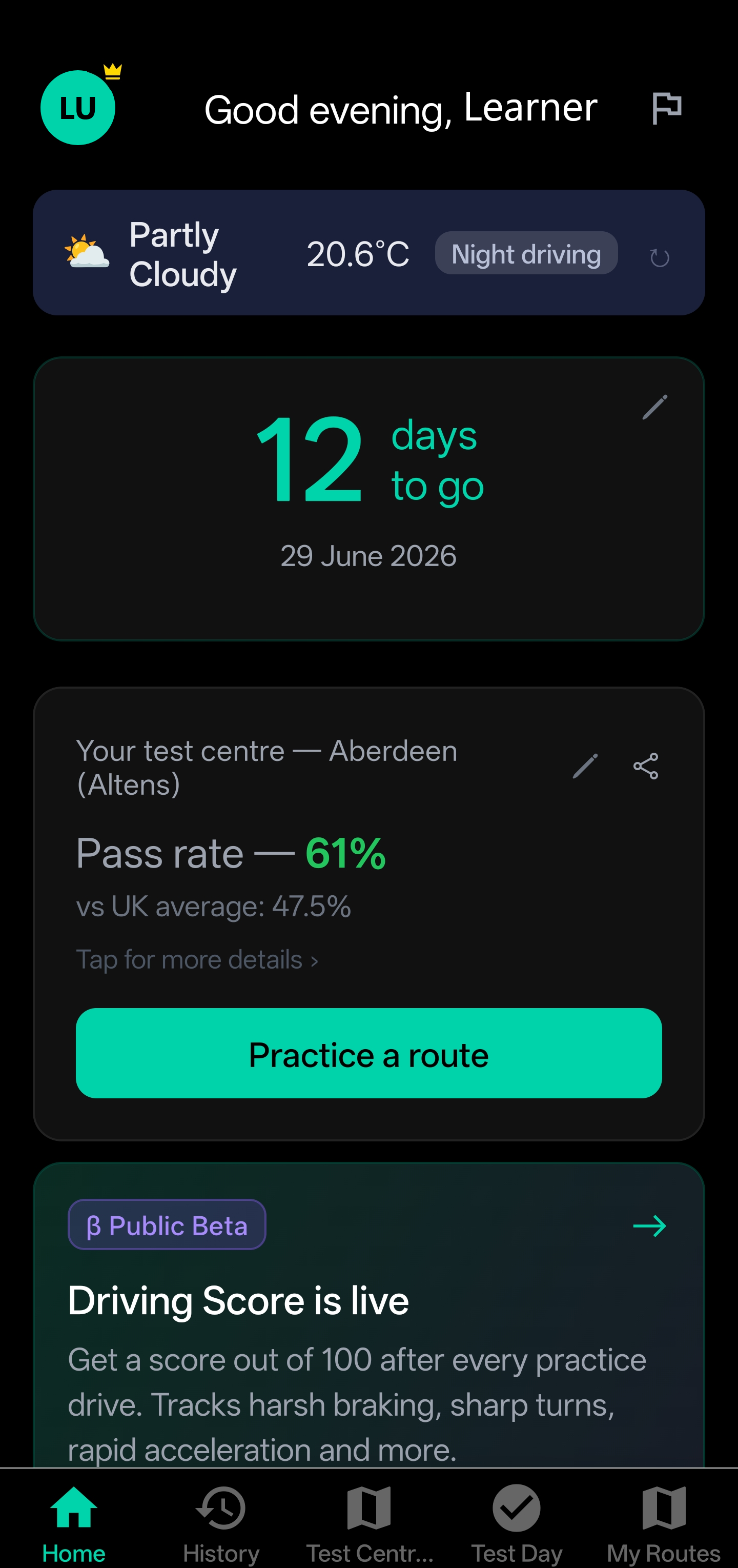
Your test countdown, current weather conditions, your test centre's pass rate, and the latest app features — all on one screen the moment you open the app.
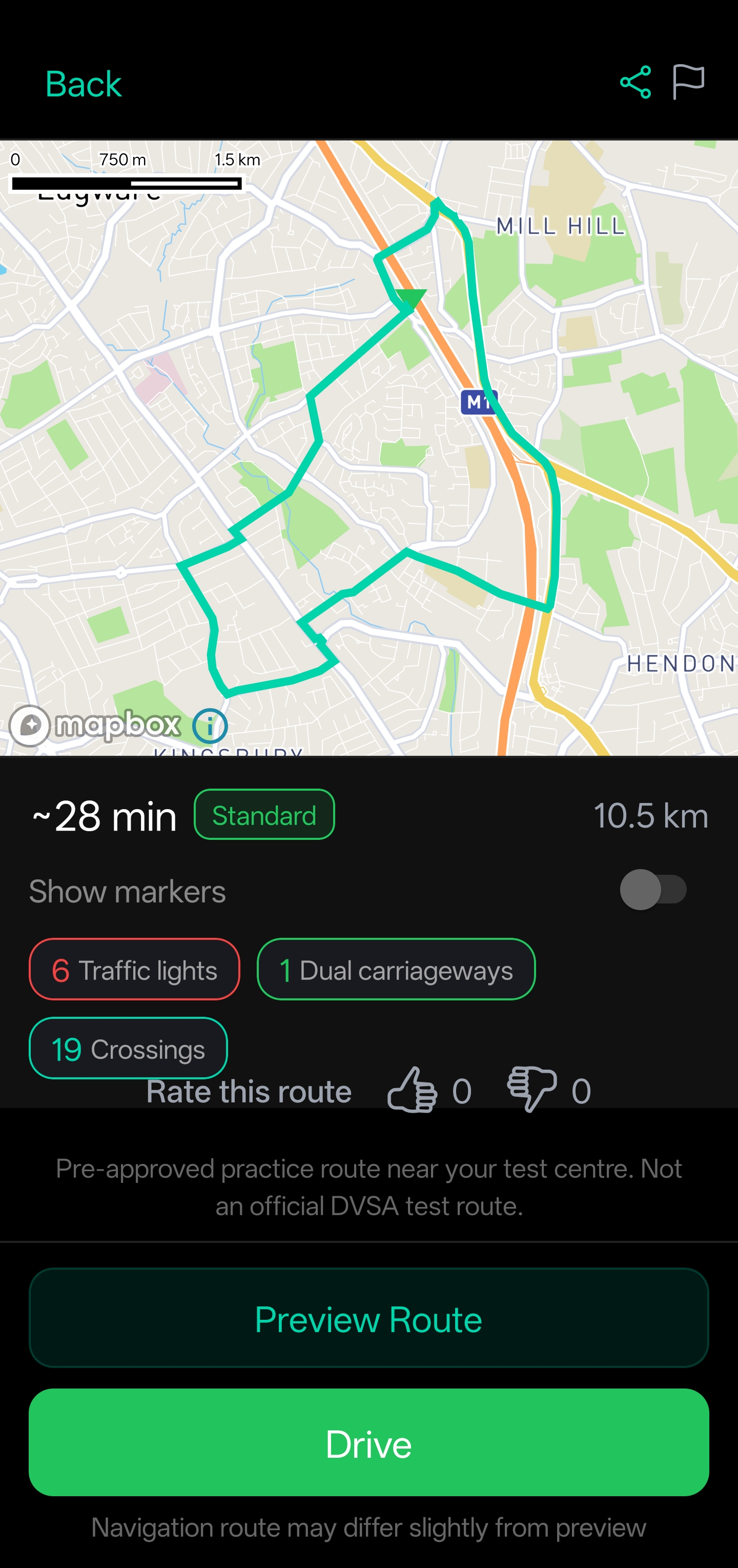
See the full route on the map — duration, distance, difficulty, traffic lights, crossings, and dual carriageways — so you know exactly what to expect before you set off.
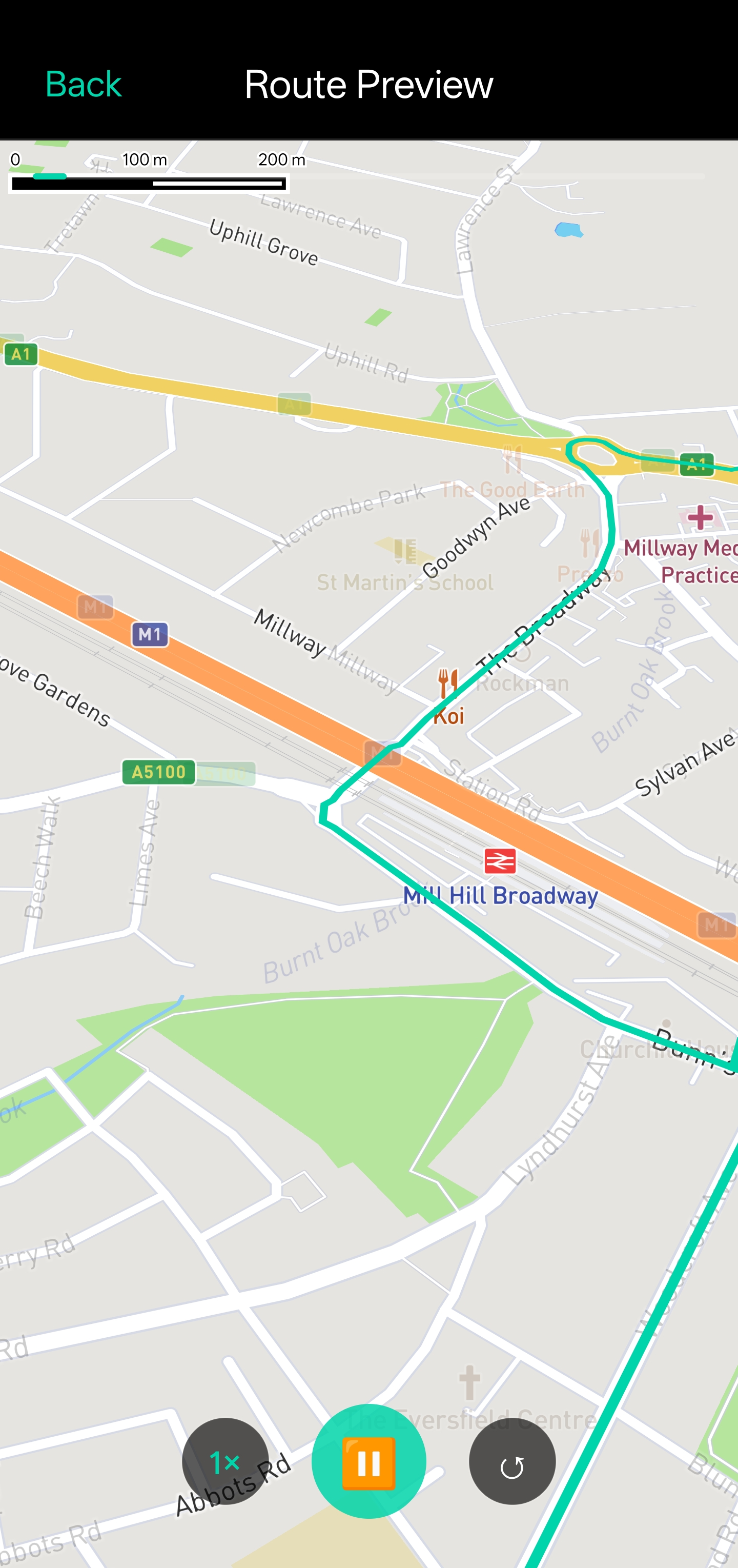
Before you set off, the map animates a bird's-eye flyover of your entire route — so you know every turn, junction, and road layout before you're behind the wheel.
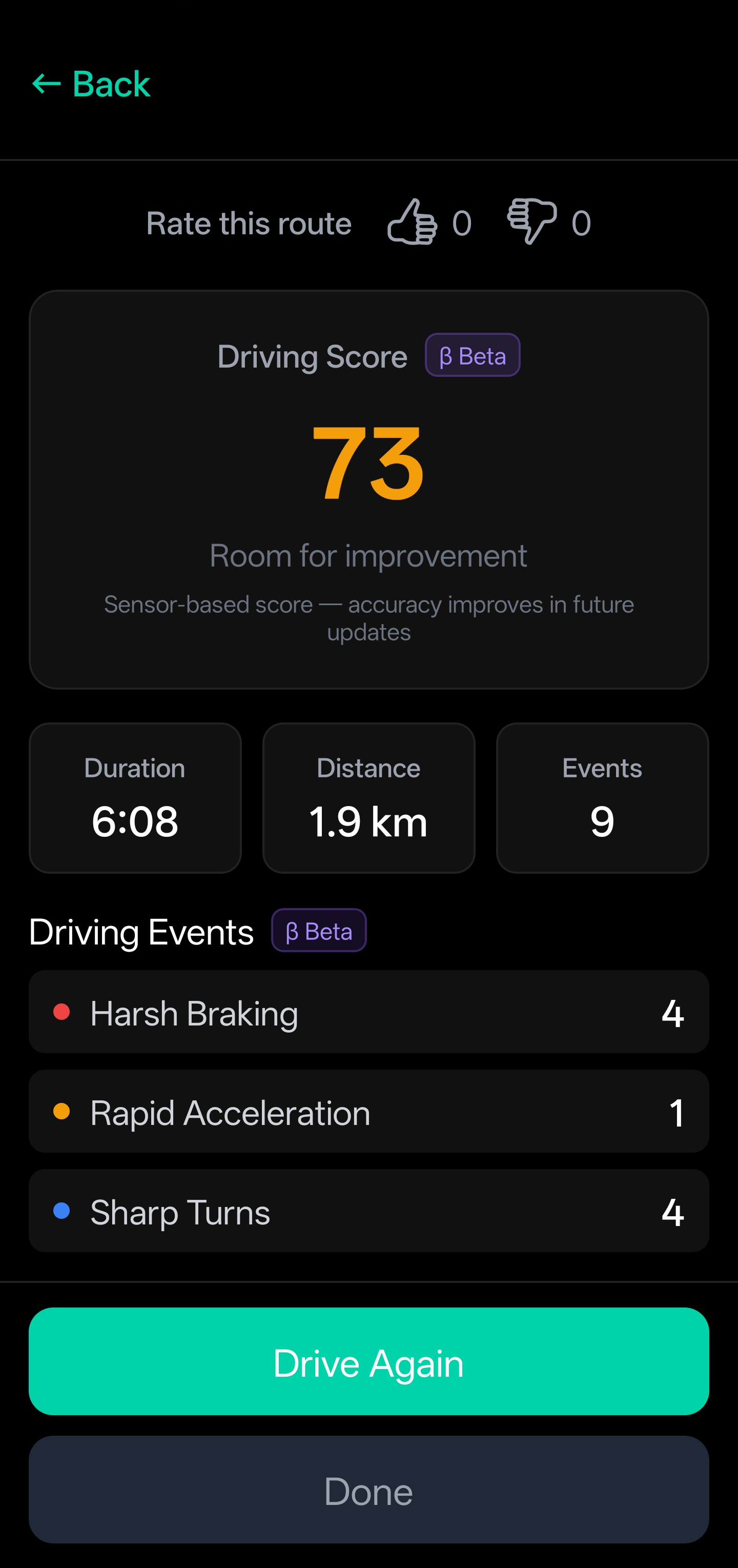
After each practice drive, get a score out of 100 based on your braking, acceleration, and cornering. See every event logged, so you know exactly where to focus next session.
Three free web tools — no app or sign-up needed — to help you plan around your test.
Under the new DVSA transfer rule you can move your test to one of the three nearest centres. This finder shows you exactly which ones — with the official driving distance and each centre's DVSA pass rate — so you can decide whether switching is worth it.
Explore the official DVSA driving and theory test statistics in one place — pass rates by test centre, monthly trends, age-group breakdowns, cancellations and zero-fault tests. Perfect for sizing up your test centre before you book.
The figure everyone quotes — around 22 weeks — was never a waiting time. It measured how far ahead slots fill up. In June 2026 the DVSA published the first real median waiting time data. Check it by centre.
Routes on DriveSidekick are free during beta. There is no paywall, no trial limit, and no subscription required. Every route and all turn-by-turn navigation is included at no cost while we build driving analytics and progress tracking.
Mock routes generated around your exact DVSA test centre, not generic roads.
Follow the route like a sat nav built specifically for your test area.
Install the app and explore routes before creating an account.
After each practice drive, DriveSidekick scores your driving out of 100 based on sensor data from your phone — braking, acceleration, and cornering. Every event is logged so you can see exactly where to focus in your next session.
Starts at 100, deducted for harsh braking, sharp turns, and rapid acceleration.
Every scored event is listed with location and severity so nothing is vague.
Compare scores across sessions to see real progress over time.
Three significant changes to driving test booking came into effect in 2026. If you are currently waiting for a test or planning to book, all three affect you.
The most effective approach is to practise on the types of roads around your test centre — the roundabouts, junctions, and speed zones you'll face on the day. DriveSidekick generates mock routes around your chosen DVSA test centre so your practice is focused on your local area rather than random roads. Repeating these routes builds familiarity with the roads and conditions you'll be assessed on.
DriveSidekick provides mock driving test navigation based on mock test routes from your chosen DVSA test centre. While it doesn't replicate every element of a formal test, it gives you accurate, route-specific navigation so you can experience the sequence of roads, junctions, and directions you'll encounter on the day.
Structured preparation matters. The best approach combines professional driving lessons with independent practice on roads local to your test centre. DriveSidekick is built for the second part: it generates mock routes around your DVSA test centre so your independent practice is targeted rather than general. Learners who are familiar with the roads near their test centre before the day can focus on driving technique rather than navigation.
Route Preview, Driving Score, and more are live now. Update to the latest version of the app to access them all.
All route generation and turn-by-turn navigation is free while we build.
Android only for now — join the iPhone waitlist →
Everything you need to know about practising for your UK driving test
DriveSidekick is a UK driving test preparation app that generates algorithmically created mock routes around your chosen DVSA test centre. It provides turn-by-turn navigation so learner drivers can practise test-style conditions in their local area, alongside pass rate data for test centres across the UK.
No. DriveSidekick does not use official DVSA test routes. Instead, it generates mock routes around real UK test centres, designed to reflect the kinds of roads, junctions, and driving scenarios you’re likely to encounter. You can also choose focused practice routes—such as roundabouts, dual carriageways, or level crossings—so you can spend more time on specific types of driving situations.
Yes. You can practise routes independently with any supervising driver, or use DriveSidekick to prepare between lessons. It works whenever you have access to a car and a supervising driver.
DriveSidekick covers DVSA driving test centres across the UK. Use the search in the app to find your nearest centre and access routes and pass rate data for that area.
Yes — everything is free during beta. All route generation and turn-by-turn navigation for your test centre is included at no cost. We're building driving analytics and progress tracking features and want real driving data to do it right, so the core app is free while we do that.
The iPhone version is currently in development and will be out soon. If you're an iPhone user, let us know and we'll notify you the moment it's ready.
Join the iPhone WaitlistDriveSidekick is the straightforward way to prepare for your UK practical driving test. Mock routes. Real test centres. No guesswork.
Routes are algorithmically generated and are not official DVSA test routes.
